September 2024 Release

This version fixes an issue in pagination, that occurs with the latest releases of Joomla and also introduces a new, flexible way, to sort/order the results.
The release of Joomla 5.1.3/4.4.7, changed how the pagination API has worked so far. In these J! versions (and beyond), any page variables should be explicitly declared, if we want them included in the pagination links (i.e. pages). That means, that your pagination links in the JFilters pages, will not include any of the page's selected filters. This JFilters release fixes the issue.
Though, the highlight of this release, is a new, flexible way to sort the results.
The feature that we call "Sorting Rules", was anticipated a lot by our users, and we are finally able to ship it.
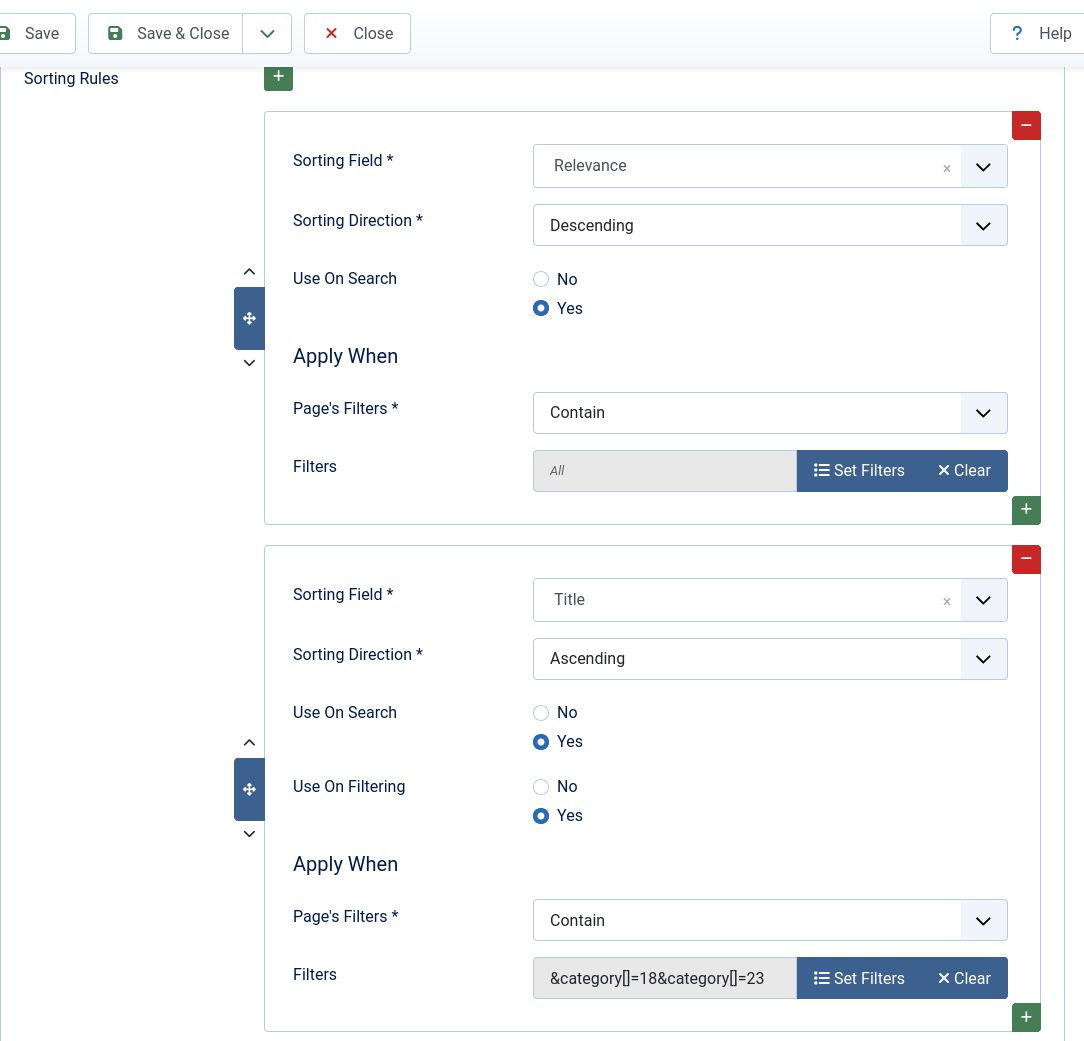
This can be found in the JFilters menu item, under the Options tab. Having it set per menu item, makes it possible, to use different sorting rules for different menu items.
The new feature, allows you to sort the results by a series of fields, but also by all the available filters. For example if you have a field/filter for the "Rating"of your products, you can sort them by that. Beyond that, different sorting rules can be set for Search (i.e. when a search query exists) and different for Filtering. Also, you can set sorting fields, based on the filters used in a page. This way, you can have different sorting fields per different result sets. For example, if you are in a category named "Books", you can have sorting fields only for the "Books" and if you are in the "Movies" category, you can have sorting fields only for the "Movies".
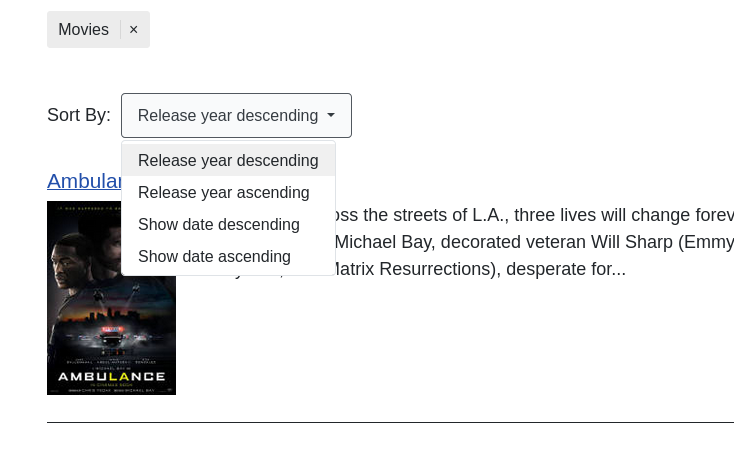
By default, the first applicable sorting field will be used. However, you can also allow your users to choose how they want to sort their results. To do that, you have to enable the setting "Show Sorting Fields". By doing so, a drop-down with all the applicable sorting fields will be displayed in the front-end, above the results.
This is step closer making JFilters a more complete and versatile filtering extension.
We hope you enjoy it!